Direct answer
Dhan trading automation means using Dhan API workflows to prepare or execute trading actions through a controlled backend. In a safe product, users connect credentials securely, test dry-runs first, review the parsed order, and confirm before live execution.
The goal is not to bypass the trader. The goal is to reduce manual friction while keeping broker safety visible.
Setup checklist
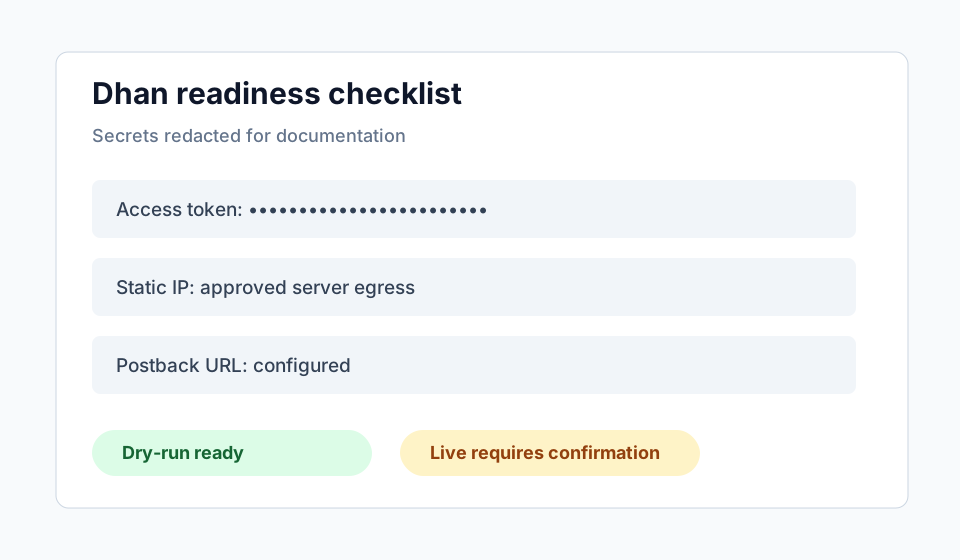
Start by confirming which Dhan credentials are required, where they are stored, whether consent is complete, whether the server egress IP is approved where needed, and whether postback or order update handling is configured. Do not enable live trading until these checks are green.
A useful product should show readiness states: dry-run available, live blocked, live ready, token expired, static IP required, or unsupported symbol.
Dry-run before live
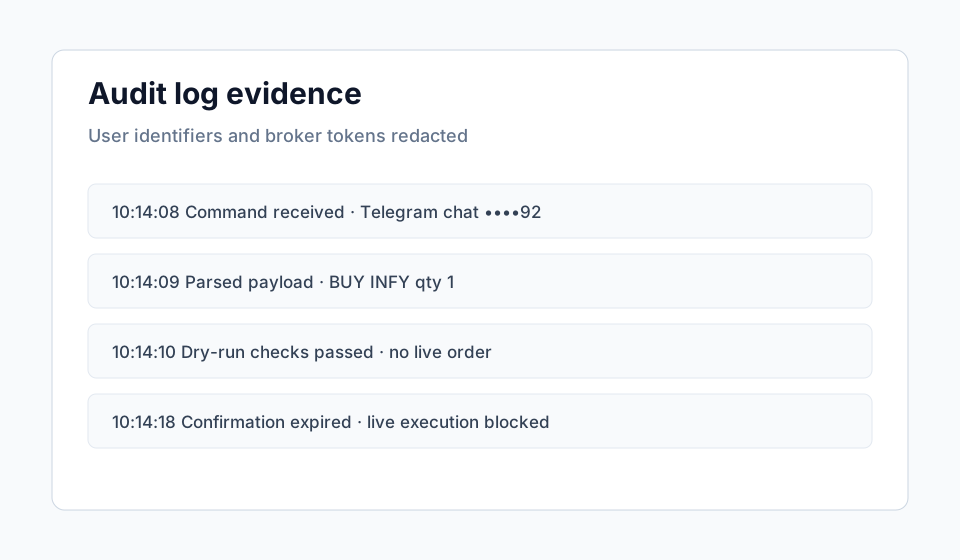
Dry-run mode validates the command and broker readiness without placing a live order. It should show the action, symbol, quantity, order type, product, price fields, risk checks, and blockers. The message should clearly say that no live order was placed.
Dry-runs are valuable for onboarding, QA, and support. They let users discover setup problems without market impact.
Postbacks and order updates
Order state can change after a broker request. A serious Dhan workflow should account for postback and order update handling so the product state does not drift from broker state. Users should not have to infer execution status from chat messages alone.
If postbacks are missing or misconfigured, live execution should be treated cautiously. The platform needs reliable status feedback.
Safe Vantaro workflow
Vantaro sits between Telegram commands and Dhan broker actions. It parses commands, applies risk controls, returns a preview, waits for confirmation, and records audit events. Dhan credentials remain server-side and are not exposed in public pages or Telegram messages.
Evidence and screenshots to add before final publication
FAQ
Can Dhan automation be tested without placing trades?
Yes. Dry-run mode is the recommended first step.
What should block live execution?
Expired credentials, missing readiness checks, unsupported symbols, failed risk checks, duplicate commands, and missing confirmation.