What a Telegram trading bot should do
A serious Telegram trading bot should help users send structured commands, query status, review dry-runs, receive setup alerts, and confirm or cancel staged actions. It should not guess missing fields or place trades from vague messages.
Commands should be explicit. A command like /preview buy INFY qty 1 limit 1500 is easier to validate than a casual message like buy some INFY. The bot should guide the user toward precise inputs rather than inventing details.
The best command experience feels fast while still making risk visible.
Command examples
Useful commands include /tutorial for onboarding, /symbols for supported instruments, /preview for dry-run orders, /status for broker readiness, /cancel for staged commands, and /audit for recent workflow history.
Commands that affect live execution should require confirmation. Informational commands can return data directly, but order-related commands should create a preview first.
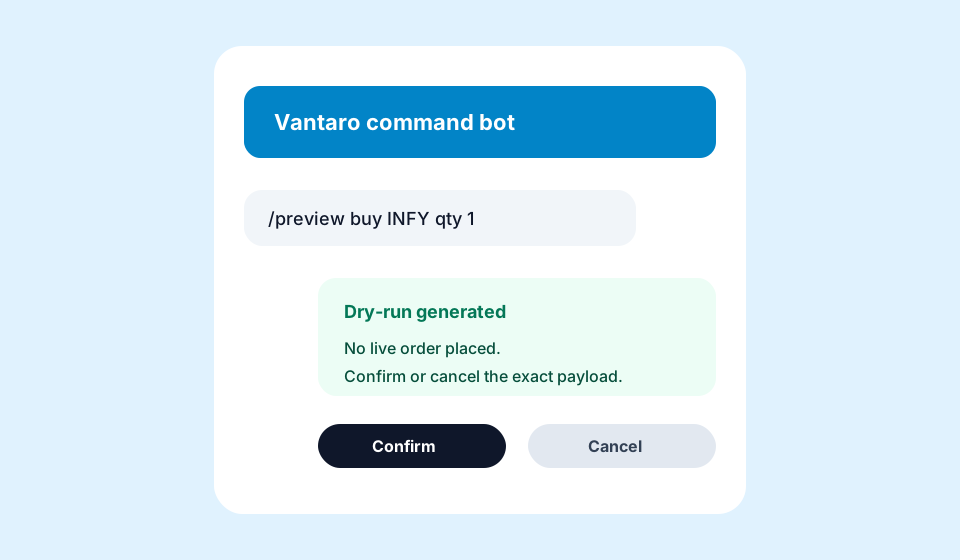
Confirmation messages should state exactly what will happen and what will not happen until the user confirms.
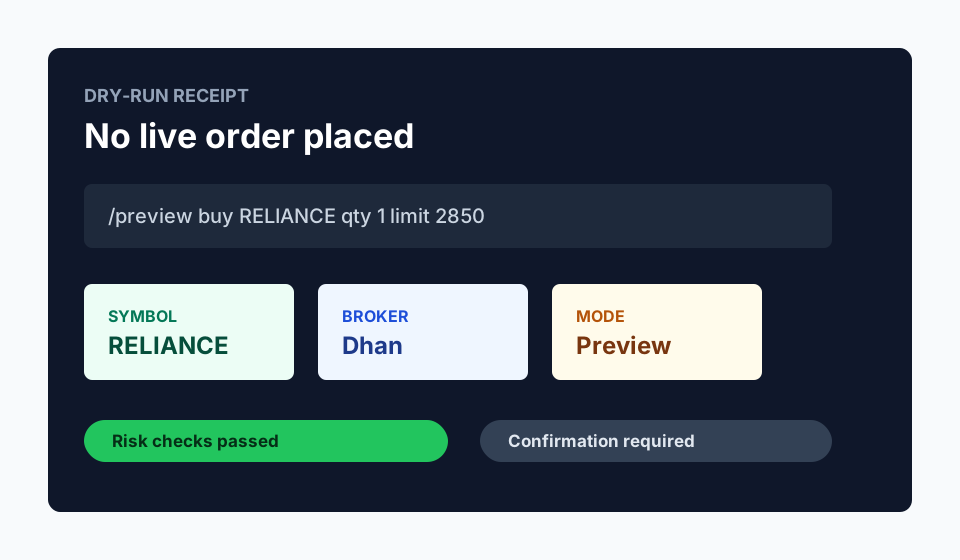
- /preview buy RELIANCE qty 1 limit 2850
- /status dhan
- /symbols REL
- /cancel last
- /audit today
Webhook and chat security
Telegram webhook handling should verify request origin where possible, reject unknown chats, protect confirmation tokens, and avoid storing unnecessary chat data. Chat IDs should be treated as identifiers, not public labels.
The bot should never expose broker credentials. Dhan tokens, API keys, and account-sensitive details belong in encrypted backend storage, not in Telegram messages.
If a user forwards a message or a stale command is replayed, the system should not treat it as valid confirmation.
Dhan workflow example
The user sends /preview buy RELIANCE qty 1. Vantaro parses the action, resolves the symbol, checks Dhan readiness, applies risk controls, and replies with a dry-run card. The card explains that no live order has been placed.
If the user confirms, the backend verifies that the confirmation token matches the staged payload and has not expired. Only then can the broker execution path proceed.
If an error appears, the bot should link to the relevant Dhan docs or error page rather than encouraging repeated retries.
Why bots should not blindly execute
Telegram is conversational. People mistype, forward messages, reply to old threads, and send partial commands. A bot that executes every plausible instruction is exposed to avoidable operational risk.
A confirmation-gated bot is still useful because it reduces manual setup friction while preserving user control. The bot becomes a command surface, not a financial decision-maker.
Evidence and screenshots to add before final publication
FAQ
Should a Telegram trading bot support natural language?
It can, but order-affecting commands should still be converted into a structured preview and confirmed by the user.
Where should broker credentials live?
Broker credentials should remain in encrypted backend storage and should not be sent through Telegram.
Can Telegram commands be used for dry-runs only?
Yes. Dry-run-only mode is a good way to test parsing, symbols, and risk checks before live execution is enabled.